Archive: 2020
-
NVDA 2020.1 Released
NV Access is pleased to announce that version 2020.1 of NVDA, the free screen reader for Microsoft Windows, is now available for download. We encourage all users to upgrade to this version.
Highlights of this release include support for several new braille displays from HumanWare and APH, plus many other important bug fixes such as the ability to again read math in Microsoft Word using MathPlayer / MathType.
Please note, after updating any software, it is a good idea to restart the computer. Restart by going to the Shutdown dialog, selecting “restart” and pressing ENTER. Updating software can change files which are in use. This can lead to instability and strange behaviour which is resolved by rebooting. This is the first thing to try if you do notice anything odd after updating.
While downloading NVDA, please consider becoming a monthly donor. Contributions like yours help NV Access continue our important work.
We also have a range of training material in the NV Access Shop to help you increase your skills with NVDA. Start with the popular Basic Training for NVDA in electronic text, audio and braille. Save with the NVDA Productivity Bundle. This includes Basic Training, all our Microsoft Office training, and telephone support.
To find out what’s new in this release, please visit What’s new in NVDA 2020.1
Close-up photograph of NVDA logo in notification area.
-
In-Process 30th April 2020
We hope you are all staying safe and well during this time. This week’s In-Process has news on the 2020.1 Release Candidate, plus some #a11y events for developers. There is also a section of tips on navigating that will boost your efficiency.
NVDA 2020.1 Release Candidate 1
NVDA 2020.1 Release Candidate 1 is now available. This is the final chance to test features before the next version of NVDA comes out. If problems are found now, they can be fixed before the final version comes out. If problems are found after the final release, it is more work to fix, and more interruption for all users.
In Alpha and Beta builds, a sound is played whenever an error is written to the log. This happens even if NVDA tries something else and there is no interruption for the user. Some end-users interested in trying new features, find this distracting. Please note that the Release Candidate build behaves just like the stable release. There is no sound played just because something is written to the log. All users are encouraged to test the release candidate and report any issues. Note that the release candidate will automatically update to the stable build once released.
Read more and download the Release Candidate from https://www.nvaccess.org/post/nvda-2020-1rc1-now-available-for-testing/
NVDA 2020.1 RC1 desktop icon
Free Web A11y course
The World Wide Web Consortium, W3C are promoting an online “Introduction to Web Accessibility” course. This course is currently offered for free by EdX. For anyone involved in web development, this is a great opportunity to brush up on your skills.
#ID24
Inclusive Design 24 has been running for a few years now. In 2020 it will be run across the whole of the 17th September, online, free for everyone. In their words, it: “Celebrates inclusive design and shares knowledge and ideas from analogue to digital, from design to development, from planners to practitioners, and everything and everyone in between.”
Submissions for talks for this year’s event are currently being accepted. To find out more, or to submit a talk yourself, head to: https://inclusivedesign24.org/2020/
Navigating text
Moving around text an integral part of working with a screen reader. It’s easy to assume we know all the shortcuts. Every now and then, it’s worth revisiting some of the essentials to brush up, so let’s do that now:
Except for a couple (as noted) these are all standard Windows commands. These Windows commands will work for anyone regardless of whether they are using NVDA or not:
- LEFT or RIGHT ARROW – move back or forward by one character
- UP or DOWN ARROW – move up or down by one line
- HOME – move to the start of the current line
- END – move to the end of the current line
- CONTROL+LEFT ARROW or CONTROL+RIGHT ARROW – move back or forward by one word
- CONTROL+UP ARROW or CONTROL+DOWN ARROW – Move up or down by paragraph. This command doesn’t work everywhere. Also note that many programs treat any time you press ENTER as a paragraph.
- PAGE UP or PAGE DOWN – move up or down by one screen worth of information
- CONTROL+PAGE UP or CONTROL+PAGE DOWN move up or down by one page (in programs like Word which define a page)
- CONTROL+HOME – move to the top or start of a document
- CONTROL+END – move to the bottom or end of a document
One last one which is an NVDA command (even though it doesn’t use the NVDA key). ALT+UP ARROW and ALT+DOWN ARROW move back or forward by sentence. This only works in a few programs which support it, like Word and Outlook.
NVDA will read by the amount of text moved. If you press the right arrow, NVDA will read the next letter. If you press CONTROL+RIGHT ARROW, NVDA will read the next word. If you move by paragraph, NVDA will read the paragraph. If you move by one screen or page, or to the top or bottom of a document, NVDA only reads the current line.
That’s all for this week, we hope everyone is staying safe and healthy. Do try NVDA 2020.1 Release Candidate 1 and let us know what you think.
-
NVDA 2020.1rc1 now available for testing
The Release Candidate (RC) of NVDA 2020.1 is now available for download and testing. We encourage all users to download this RC and provide feedback. Unless any critical bugs are found, this will be identical to the final 2020.1 release.
Highlights of this release include support for several new braille displays from HumanWare and APH, plus many other important bug fixes such as the ability to again read math in Microsoft Word using MathPlayer / MathType.
- Download NVDA 2020.1rc1
- What’s new in this release of NVDA
- Please report any issues on GitHub.
-
In-Process 3rd April 2020
Everyone is staying safe at home at the moment. There’s still plenty going on as we prepare for the next release of NVDA. Plus an uplifting new video about the work of one of our users! Let’s get into it:
2020.1 beta 1
Beta1 of NVDA 2020.1 is now available for download and testing. For anyone who is interested in trying out what the next version of NVDA has to offer before it is officially released, we welcome you to download the beta and provide feedback.
NVDA 2020.1 is a much smaller release in comparison to NVDA 2019.3, however it still contains several important bug fixes plus support for some new braille displays from both APH and HumanWare. Read about all the features and download the beta from the NVDA 2020.1 Beta 1 announcement page..
Using Zoom with NVDA
At the moment, there is a lot of interest in communication and online meeting tools. One popular option is Zoom, which facilitates voice and video conferencing. Individuals can setup a free account and have up to a hundred participants for 40 minutes at a time. Purchased plans offer more participants and no time restriction.
The University of Melbourne has a page of tips and keystrokes for Using Zoom with NVDA.
Zoom themselves also have a page of Zoom Hot Keys and Keyboard Shortcuts.
Preparing for work with Accessible Technology Solutions
Preparing for Work with Accessible Technology Solutions
Sadam Ahmed is totally blind and CEO of Accessible Technology Solutions. He gave us an insight into the company he founded, and the training he does with clients using NVDA and Microsoft Office. Preparing for Work with Accessible Technology Solutions contains a video and article about the fantastic results they are achieving. It is well worth a read or listen.
We love hearing Stories like Sadam’s. If you’re doing amazing things with NVDA (and we know you are!) or working with others doing things the world should know about, feel free to drop us a line and let us know! Time permitting, we might be able to feature your story.
Productivity Bundle Sale
Last edition we launched the NVDA Productivity Bundle sale. This has been popular and I wanted to mention it again this week. It’s an extra 10% off its usual price. The NVDA Productivity Bundle includes all our popular training material, and telephone support.
Acapela Extended Trial
We’re not the only ones offering things at the moment, Acapela are offering 90-days Free Access for their Acapela TTS voices for NVDA. Normally, the trial period for Acapela is 15 days. This offer gives you a lot longer to evaluate and decide whether you would like to purchase. To take advantage of this offer, you will need to contact Acapela. Read all about the Acapela 90-days Access Offer from their website.
GitHub Sponsorship
Our GitHub Sponsorship Page has been live for a couple of weeks and we’ve already had quite a bit of interest in it. To see more about this opportunity to contribute to NVDA, please visit https://github.com/sponsors/nvaccess
Have some YOU time
It’s perhaps more important now than ever before, to take some time for yourself. Turn off the current affairs TV, log off the news website, and do something you enjoy. So here’s a couple of ideas you might consider:
- Buy a book on Amazon and read it. NVDA works with the Kindle App for PC to read all your favourite books.
- Listen to music. Foobar2000 remains a popular choice. Sites like YouTube Music and Spotify are also well supported
- Create music. Reaper is a popular audio editor. Jamie Teh, one of our own founders, improved extended Reaper with the OSARA add-on.
- Play games. If you haven’t checked it out recently, AudioGames.net is regularly updated. It lists over 500 games which will keep you entertained for months.
- Write. Whether it’s your autobiography, recipes, or a fantasy land of dragons, writing doesn’t need many tools. It’s a pastime anyone can engage in with nothing more than Windows NotePad. If you prefer the features of a word processor, Microsoft Word, or Jarte might be for you. For more in-depth checking of text than Microsoft’s spelling and grammar checker, ProWritingAid has an accessible interface.
- Yoga and exercise. There are many options for working out at home. One of these is the Eyes Free Fitness YouTube Channel.
How do you like to relax? Join in the conversation on the NVDA Chat email group and share your tips for relaxing at home. We’ll feature some of the best ideas next time on In-Process!
-
Preparing for work with Accessible Technology Solutions
Sadam Ahmed left war-torn Somalia for a new life in Australia. Not only did he make a new life for himself, Sadam made a business as well. In 2016, Sadam founded Accessible Technology Solutions Enterprises. From the Accessible Technology Solutions website:
“We are a boutique technology company specialising in high quality technical support. From screen reader configurations to helping you to get the most from your Windows PC or assisting you with braille display set-up. We can help.”
Blind himself, Sadam is a keen ambassador for NVDA. The world’s most popular free screenreader is a great fit for many of his clients. He shared his thoughts with us on how they teach clients with NVDA and some of the great outcomes they’ve had. You can listen to him in his own words, or read the transcript below:
Hello, my name is Sadam Ahmed.
I am the CEO of Accessible Technology Solutions Enterprises, a company that teaches and trains clients, students and teachers for the visually impaired on different types of assistive technology. We have been using NVDA for a number of years now. I use NVDA almost exclusively on my Windows PCs and I think NVDA is a very good screen reader which has come a long way.
“Traditional Assistive technology is very expensive and is not usually affordable for people. NVDA is a very lightweight application that runs beautifully on Windows 10.”
It really is a fantastic solution for those who cannot afford traditional screen readers which are very cost prohibitive, particularly for people in different countries.
When I went to Somalia where I originally come from, a lot of people were using NVDA and I’ve actually recommended NVDA to my friends who were doing computer science and engineering courses, as NVDA supports the applications like Python and SQL very well.
I teach NVDA to my clients and a lot of them have gone on to actually get employed, which is really good, because the unemployment rate in the blind community is very high, so anything that helps someone to become a digital citizen is fantastic. I have been using NVDA for a number of years and NVDA continues to grow in feature set and really supports Windows 10 very well.
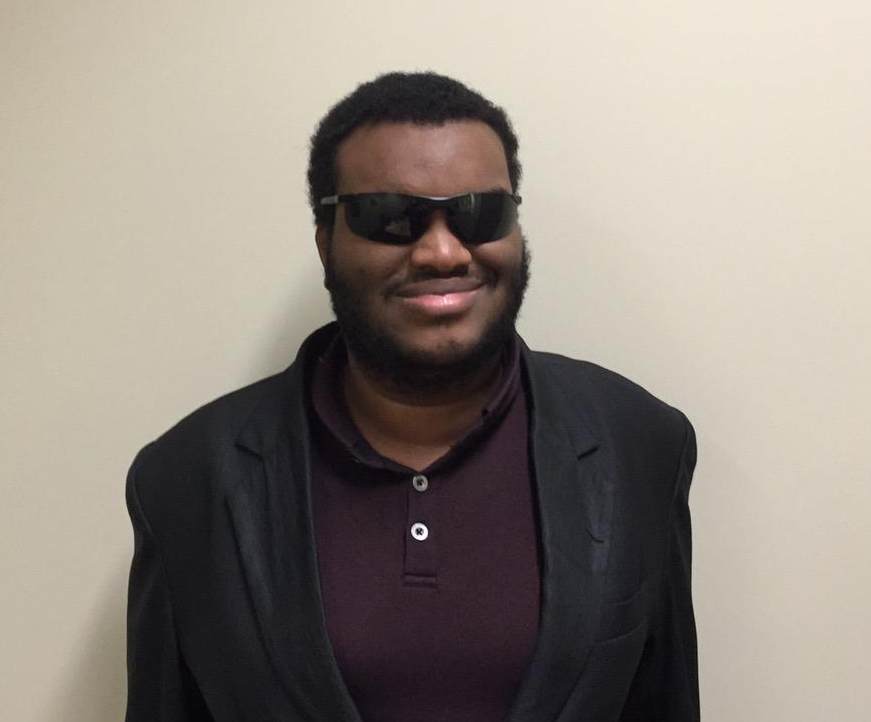
Sadam Ahmed (Standing against a cream wall)
I’d like to talk about Microsoft Word, or the Microsoft Suite. We teach Microsoft Office, PowerPoint and Excel to our clients, particularly when using NVDA, and it works really, really well. We also teach the Outlook Suite as well as Office 365 from a keyboard point of view.
NVDA has always had really robust support for outlook, excel, word and PowerPoint. These apps work particularly well whether using a keyboard or using touch input on a windows device with a touch screen.
“We have seen a significant rise in the usage of NVDA amongst our clients. Many of them are using a computer for the first time and NVDA gives them great independence and freedom when it comes to both work and play.”
In particular, it has enabled some of our clients to not only be more confident with the keyboard and the computer in general, but actually hold down and obtain full time employment. We’re very proud of this at Accessible Technology Solutions, because 70% of blind people are unemployed, which was the last stat that I saw.
So, anything we can do to break down the barrier of either unemployment or underemployment is fantastic and NV Access with NVDA and Microsoft Office are certainly are doing that. Microsoft’s mission statement is to empower everybody to do the best work possible and certainly that is borne of the Microsoft Office suite.
Thank you Sadam! Do visit Accessible Technology Solutions for personal service in Melbourne. NV Access also provides Training Material for Office. To help NV Access to continue to enable blind and vision impaired people to access education, employment and independence, please consider Supporting Us with a Regular or One-off Contribution Today.
-
NVDA 2020.1beta1 Available for Testing
Beta1 of NVDA 2020.1 is now available for download and testing. For anyone who is interested in trying out what the next version of NVDA has to offer before it is officially released, we welcome you to download the beta and provide feedback.
NVDA 2020.1 is a much smaller release in comparison to NVDA 2019.3, however it still contains several important bug fixes plus support for some new braille displays from both APH and HumanWare.
- Download NVDA 2020.1beta1
- What’s new in this release of NVDA
- Please report any issues on GitHub.
-
In-Process 20th March
In these uncertain times, we’re pleased to be able to be able to give you this week’s In-Process, right on time, two weeks after the previous edition! Lots to cover this week, so let’s jump in right away with the topic which is affecting everyone:
COVID-19: Business as usual at NV Access
Firstly, we want to reassure everyone that despite the COVID-19 (Coronavirus) pandemic, it’s business as usual for NV Access. The NV Access team all work remotely already. So, in that regard we aren’t impacted by office building closures or restrictions on travel.
“We are open!” text with sunburst background
We are continuing to improve NVDA, Fix Bugs and add new features. If you have Telephone Support, either on its own, or as part of the NVDA Productivity Bundle, rest assured that help, as always, is not far away!
NVDA Productivity Bundle Sale!
Speaking of the NVDA Productivity Bundle, here’s some exciting news! We know a lot of people are home and needing to stay occupied. Keeping busy by learning new skills is one of the most productive and useful things you can do. We’d like to offer an incentive to encourage you that now is the time to take your NVDA skills to the next level. So, the NVDA Productivity Bundle is now 10% off it’s usual price. What do you get in the NVDA Productivity Bundle? Well, heaps! As well as a direct download of NVDA itself (which also includes the User Guide), there is:
The bundle is already a huge saving off the cost of all these items individually. An extra 10% off makes it even greater value. The Australian dollar has dropped, making it cheaper again for users outside Australia. Head to the NVDA Productivity Bundle to find out more, and purchase!
NVDA Certified Expert exam
Some users have honed their skills with the NVDA Productivity Bundle. Others have bought Basic Training for NVDA on its own (Maybe the Audio or Braille versions). Or do you feel you already have great skills from years of experience? Well, now is a great time put your knowledge to the test by sitting the NVDA Certified Expert Exam. The exam itself is free for anyone to sit. Once you pass, you may choose to purchase the certification. Being an NVDA Certified Expert gets you listed on the Certification Page. You also get a neat logo you can include in your email signature or website. That is a great way to advertise your skills.
Become a GitHub Sponsor
NV Access are pleased to announce a new way you can support your favourite screen reader. GitHub Sponsors is a way for you to support open source projects you love. NV Access has been accepted to the GitHub Sponsor program. Sponsorship tiers start at $5 a month and you get a cool badge on your GitHub profile which shows your support. Check out our GitHub Sponsor Page Here.
While we’re talking about Open Source, did you know that at least 20% of US government code has to be open source? Long gone are the days when management was wary of open source. Both government and the private sector embrace the movement. A movement we are proud to have been a part of since 2006. Find out more from the Open Source section of our Corporate and Government page.
Keeping in touch
We are all spending less time physically with other people at the moment. Especially now, it is critical that we still maintain social contact with others. NVDA works with all popular communications apps and websites. We encourage you to pick your favourite form of communication and reach out to some of your neighbours, relatives or friends.
If you’d like to keep in touch with the NVDA community, the NVDA Email List is a great place to start.
The NVDA group itself is primarily for NVDA-related conversation. For a less formal conversation, the NVDA group also has a “Chat” Sub-Group. Now is a great opportunity to visit the “Chat” Sub-Group for conversation with others!
For instant messaging, NVDA has dedicated commands to work with Miranda IM specifically. NVDA works well with sites like Twitter and Facebook, and you can keep in touch with us on those. You might also use Skype, TeamTalk, Google Hangouts or Microsoft Teams. There are also newer alternative social networks like Mastodon. Accessibility geek Marco Zehe wrote a post on Mastodon’s Accessibility.
That’s all for this week. Do take care, stay safe and keep in touch with each other, and With Us if needed. Most of all, don’t forget to look after your own needs during this time as well.
-
In-Process 6th March
What a tumultuous week it’s been this week! For all the uncertainty, there’s plenty in this week’s post to be excited and happy about, so let’s get started:
NVDA 2019.3.1
NVDA 2019.3.1 has been out for nearly a month now. The reception to it has been fantastic. Many have commented on how they love the new functionality. Screen curtain, Braille viewer and more device support are all popular features. Most add-ons have been updated and are now available for 2019.3. The NVDA Add-ons and Python 3 page lists the status of their 70 add-ons. Currently, 59 add-ons are either updated or have been incorporated into NVDA. 3 add-ons are planned or in process, and the final 8 are not currently compatible. So that’s 84% of add-ons available now. A couple of users have had trouble with commercial synthesizers. In some cases reinstalling these has rectified the situation. If you have trouble with your 3rd party synthesizer, please contact the manufacturer. You can find the links from our Extra Voices Page. They are all keen to ensure a smooth transition for users.
If you do have any other feedback or any issues with NVDA itself, please don’t hesitate to let us know.
Google Summer of Code
NV Access are very pleased to announce that we have been accepted as a Mentor Organisation for Google Summer of Code 2020! Google Summer of Code is a global program focused on bringing more student developers into open source software development. Students work with an open source organization on a 3-month programming project during their break from school. See https://summerofcode.withgoogle.com/ for more details. To see our entry for the Google Summer of Code, go to https://summerofcode.withgoogle.com/organizations/6691483551268864/. This is a great opportunity for students to get to work with open source projects like NVDA. For us, it’s a fantastic chance to share our knowledge with young people moving towards the workforce, to build awareness and passion for accessibility in a new generation of software engineers and work together to improve NVDA for everyone.
CSUN
The CSUN conference was due to take place next week in California. Regrettably, due to circumstances beyond our control, we have had to cancel our attendance at the conference. We Have Published a Statement with More Information.
Rate boost
Intro screen from “NVDA’s Rate Boost” video
One of the new features in NVDA 2019.3 is that Rate Boost is now available for Windows OneCore voices. Rate Boost is a feature which triples the regular reading rate of NVDA. This has been available for eSpeak-NG since 2011. We are very pleased to now make this available to those using Windows OneCore voices as well. We have made a Rate Boost Demo Video to demonstrate this in action. Our intention was to unveil the video at CSUN. Instead, we are proud to share the Rate Boost Demo Video here first as an In-Process world premiere!
If you’d like to try Rate Boost yourself, you can find the setting in NVDA’s Speech / Voice Settings. Press NVDA+control+v to open the settings to this page, and tab to “Rate boost”. It is also available in the Synth Settings Ring. Press NVDA+control+left arrow and NVDA+control+right arrow to change synth settings. Press NVDA+control+up arrow to increase the current setting. Press NVDA+control+down arrow to decrease the current setting. If using Laptop keyboard layout, press SHIFT with these keystrokes.
Chrome issue
A few people have encountered an Issue with NVDA in Chrome. NVDA is not always refreshing new pages when following links in Chrome. This is a known issue with Chrome version 80. There are several workarounds that users have been employing to get around this issue. These include using TAB rather than down arrow on a new page, NVDA+f5 to refresh NVDA’s buffer, or even alt+tab to another program and back. The good news is this is fixed in Chrome version 81. This version is due to start Rolling Out Publicly on 17th March.
Open Source Archive
NVDA can be found all over the world and used in just about every setting imaginable. Like many open source projects, NVDA is stored on GitHub. GitHub is a platform which allows open source contributions, version control and issue tracking. This week we read an Interesting Article About One Unusual Place You Can Find NVDA, as well as everything else stored on GitHub: the Arctic Code Vault. The vault, 250 metres down an abandoned Norwegan coal mine, just up the road from the Global Seed Vault.
“The Arctic Code Vault was just the beginning of the GitHub Archive Program’s journey to secure the world’s open source code,” GitHub vice president of special projects Thomas Dohmke told news.com.au.
“We’ve partnered with multiple organisations and advisers to help us maximise the GitHub Archive Program’s value and preserve all open-source software for future generations.”
One of those partners is Norwegian archival experts Piql, who specialise in very-long-term data storage.
Mr Dohmke said open source code in particular was worth preserving.
“Today, almost every piece of software relies on open source. It’s the lifeblood of the internet, but much of the world’s data is ephemeral, kept on storage media expected to survive only a few decades,” he said. (Credit to News.com.au for the snippets of that story I copied)
That’s all for this week. Have a great rest of your week. Stay healthy and we’ll be back again in a couple of weeks.
-
Statement on CSUN conference
The 2020 CSUN Assistive Technology Conference was due to be held from the 9th to the 13th of March in Anaheim, California. NV Access was due to present a session at the conference as well as attend many meetings with individuals and companies. Over the past couple of days, many of the key participants of CSUN that we were intending to meet with, have cancelled their attendance at the conference. There is growing global concern over the Novel Coronavirus (COVID-19) situation. Today, the Los Angeles County declared a local health emergency due to COVID-19.
Limiting travel and large gatherings is one of the most effective ways of reducing the spread of the virus. See the World Health Organisation’s recommendations on basic protective measures you should take.
We have considered the emergency declaration, the cancellation of meetings, our risk assessment of the COVID-19 situation, potential difficulties around travel, and general public health and safety. For all these reasons, NV Access has also decided to cancel our attendance at CSUN this year. This includes cancellation of our session IND-001, “NVDA’s 2020 Insight”.
Various organisations and individuals have proposed the idea of a virtual event. We agree this is the socially responsible thing to do in the circumstances. NV Access is interested in such an event in place of meeting in person this year. Should a virtual conference be organised, we will share information on this in our In-Process Blog. and on Twitter. In the meantime, we are also looking at ways of delivering our planned presentation online. We appreciate everyone’s support, and we look forward to finding other ways of catching up with everyone we would have met at CSUN this year.
One thing we were going to demonstrate at CSUN this year was the new Rate Boost functionality for Windows OneCore Voices in NVDA 2019.3. Instead, we have a Video Demonstrating Rate Boost which we announced in our In-Process Blog today. Do follow our In-Process Blog for more news and information. You can subscribe to the RSS Feed), or Follow us on Twitter to stay up to date.
-
In-Process 19th February 2020
NVDA 2019.3 here we are! For those who have been following this journey, this release has been a long time coming. The reaction from users has been fantastic! So, let’s get right into the big news story:
NVDA 2019.3.1
NVDA 2019.3 came out on the 10th of February. We discovered an issue with a couple of translations and quickly rectified that. As a result, NVDA 2019.3.1 came out before most users had downloaded the initial release.
If you have NVDA set to check for updates, NVDA 2019.3.1 is offered as an update from any previous version. This includes the beta and Release Candidate versions.
One of the big changes, as we’ve discussed on this blog before, is the update from Python 2.x to Python 3.x. This has necessitated an update from most add-ons. I’m pleased to confirm most add-ons have been updated. This includes popular tools such as NVDARemote, and synthesizers. Code Factory’s Eloquence and Vocalizer bundle, Tiflotecnia’s Vocalizer and Acapela are all 2019.3.1 compatible.
EDIT: I believe Tiflotecnia are ironing out a couple of glitches with their package. If you are interested, email Rui at Tiflotecnia for access to the updated Tiflotecnia Vocalizer.
Note that for some of the commercial add-ons, you may need to de-register the add-on before updating. If you encounter problems with activations, please contact the retailer of the add-on.
Other highlights in this release include 64 bit support for Java VMs, Screen Curtain and Focus Highlight functionality, support for more braille displays and a new Braille viewer, and many many other bug fixes.
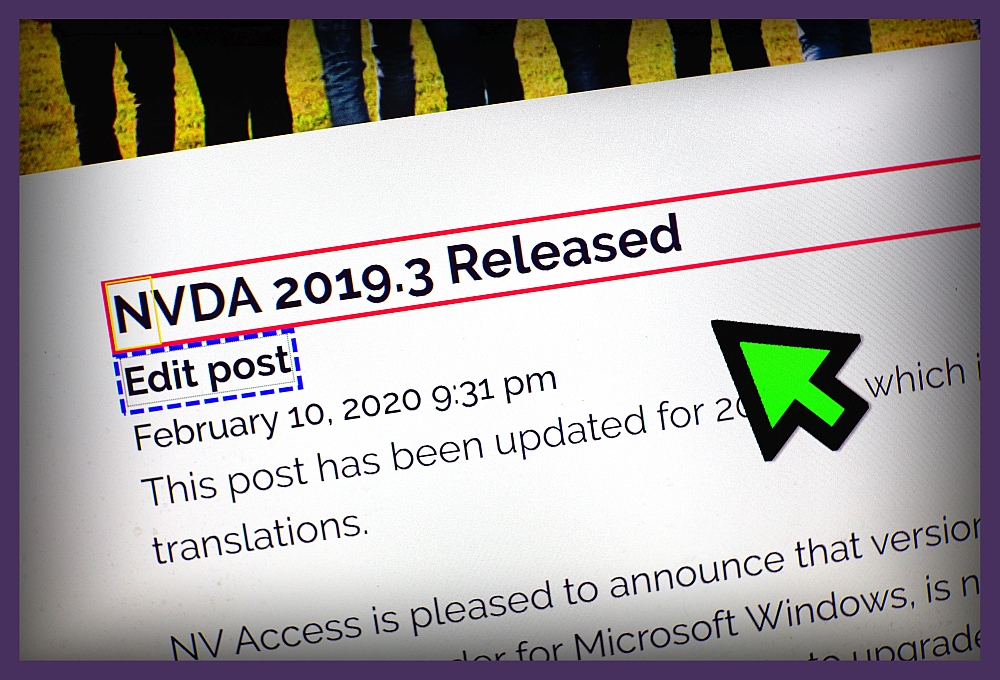
Image of NVDA 2019.3 release announcement showing text highlighted using new Focus Highlight feature
Screen curtain
NVDA’s settings screen now includes a “Vision” Category. On this page you can find options for both Screen Curtain and Focus Highlight. It is possible to use a keystroke to turn screen curtain on or off, however this is not assigned by default. Since we’ve had a few questions about how to do that, I thought I’d share the information here.
NVDA’s “Input Gestures” dialog allows you to customise any of NVDA’s gestures. New gestures can be added, or existing gestures removed. It is the last option on NVDA’s “Preferences” menu. To open the Input Gestures dialog:
- Press NVDA+n to open the NVDA menu
- Press P for Preferences
- Press N for Input Gestures. The Input Gestures dialog appears.
- Press V to jump to the “Vision” options.
- Press right arrow to open the vision options.
- Press T (or down arrow) to “Toggle the state of the screen curtain”).
- Press ALT+A to add a new keystroke
- Press ONLY the keystroke to add.
- Press ENTER to assign the keystroke for only the current keyboard layout. Or, press the down arrow then enter to select ALL layouts before pressing ENTER.
- Press ENTER to close the dialog.
From here you can navigate the tree view of all commands. Use regular navigation keys such as arrows, or press the first letter of the desired item. Alternatively, the list can be filtered to show only commands which match a string of text. To use filter, press SHIFT+TAB then type the name of the command. Commands can be customised using keystrokes, touch gestures and braille keys.
A new option in this dialog for 2019.3 is the option to reset ALL custom gestures back to their default. To access that feature press ALT+D for “Reset to factory defaults”, then ALT+Y to answer “yes”. For now, let’s browsing the input gestures dialog to add a keystroke to toggle Screen Curtain:
CSUN 2020
This year’s CSUN Conference is coming up fast. CSUN is one of the largest assistive technology conferences in the world. Held in Anaheim, California, it is on this year from the 9th to the 13th of March.
NV Access will be there. We are running a session on Wednesday, March 11, 2020 – 3:20 PM PST in Grand GH. We’d love to see you there!. We’ll have all the details on recent improvements to the free NVDA screen reader, the NV Access product range and an organizational update on progress to maximize impact and sustainability. If you’re coming to CSUN 2020, we’d love to catch up with you. Do Tweet @NVAccess and let us know you’ll be there!
Open Source Blindness
One of our users, Moses, shared a post with us we thought we’d share with you. “Open Source Blindness”, by Devin Prater. Devin highlights the benefits of NVDA’s software model, and community. He also discusses the open source movement, and about what that means.
There are a lot of misconceptions around Open Source. We spend a lot of time reassuring companies about how open source is as secure as closed source software. One concern people have is whether anyone can edit the software they use on their computers. With software like NVDA, that is absolutely not true. Open source means that the source code is available for anyone to view. One benefit is that it enables people outside the core developers to comment on bugs and offer suggestions for improvement. The final, compiled product contains only code which was either written, or directly checked and approved, by NV Access. Provided you download from https://www.nvaccess.org/ (the Official Site), you can be sure that you are downloading an official version of NVDA. Download from the Official Site assures you a copy of NVDA which is unaltered and free from malicious software.
You can also verify this by checking the digital signature in the “Digital signature” tab of the file properties.
While anyone could potentially download the NVDA source code and edit it, only NV Access can upload files to the Official Site. There is no more inherent risk with downloading NVDA from the Official Site than there is downloading a closed source program from its official site.
If you know anyone with those concerns, feel free to direct them to this post, or to our Corporate and Government Page. Or anyone is more than welcome to EMail Us with any questions or concerns.
That’s all for this week. Please do Let Us Know what you think of NVDA 2019.3.1, and we look forward to catching up with you in early March!